March 5, 2026
To keep track of my realtime expenses, I had came up with an Apple shortcut several weeks ago. So turns out the original design is defective and has limitations I would not like to accept:
- The phone heated and became less responsive while running it. It was very hot, and my fingers kinda hurt when touching it
- Screenshots of more complicated interfaces would take the VLM more time to describe, sometimes timingout the workflow in which case I had to try again and pray to god
- The workflow cannot be paused, meaning no putting the phone into sleep, which is very unintuitive
-
An recent update broke Locally AI VLM shortcut support
, so the workflow does not work anyway
Custom LLM inference runtime
Giving the situation some thought, I figured it would make sense to migrate away from Locally AI all together, offloading the heavy inference work to my NAS, which has a NVIDIA GTX 1080 Ti with 11 GiB VRAM in it. It is old, but after some experiments, turned out that llama.cpp worked perfectly fine with CUDA of compute capability 61. But this limits model selection. The lack of FP16 support caused out-of-memory issues and higher latency. I chose to do things conservatively, and finally landed on this comb:
Qwen3-VL-4B-Instruct-GGUFfor describing screenshotgemma-3-1b-it-qat-q4_0-gguffor extracting structured data
I prefer a more integrated solution, a single binary which works out of the box. It brings more control to the LM compared to API calling, and using a custom sampling pipeline, I was able to achieve both high accuracy and reasonable latency.
The custom sampling uses techniques called guided generation and prefilling. I came up with simple Lark grammars, and used the llguidance sampler to constraint the output format. Some extend to my surprise though, in practice this is not enough, presumably llama.cpp striped out some low possibility tokens or the chosen Rust binding was bugged. Feared to admit, I failed to figure out the exact reason, not to mention solving it, and that’s the perfect time for me to seek a workaround. After some trial and error, I noticed that desired formats starts with keyword like “Summary” or “Category”, and I just appended them to the respective context window before the LLM starts to generate. This yielded stable outputs, and could be parsed programmatically with confidence.
One run takes from 50 to 70 seconds, and half of the available VRAM. I am happy on that. The GPU didn’t cost me much anyway~ Either way, here’s a nvtop screenshot during execution of the workflow, FYI:
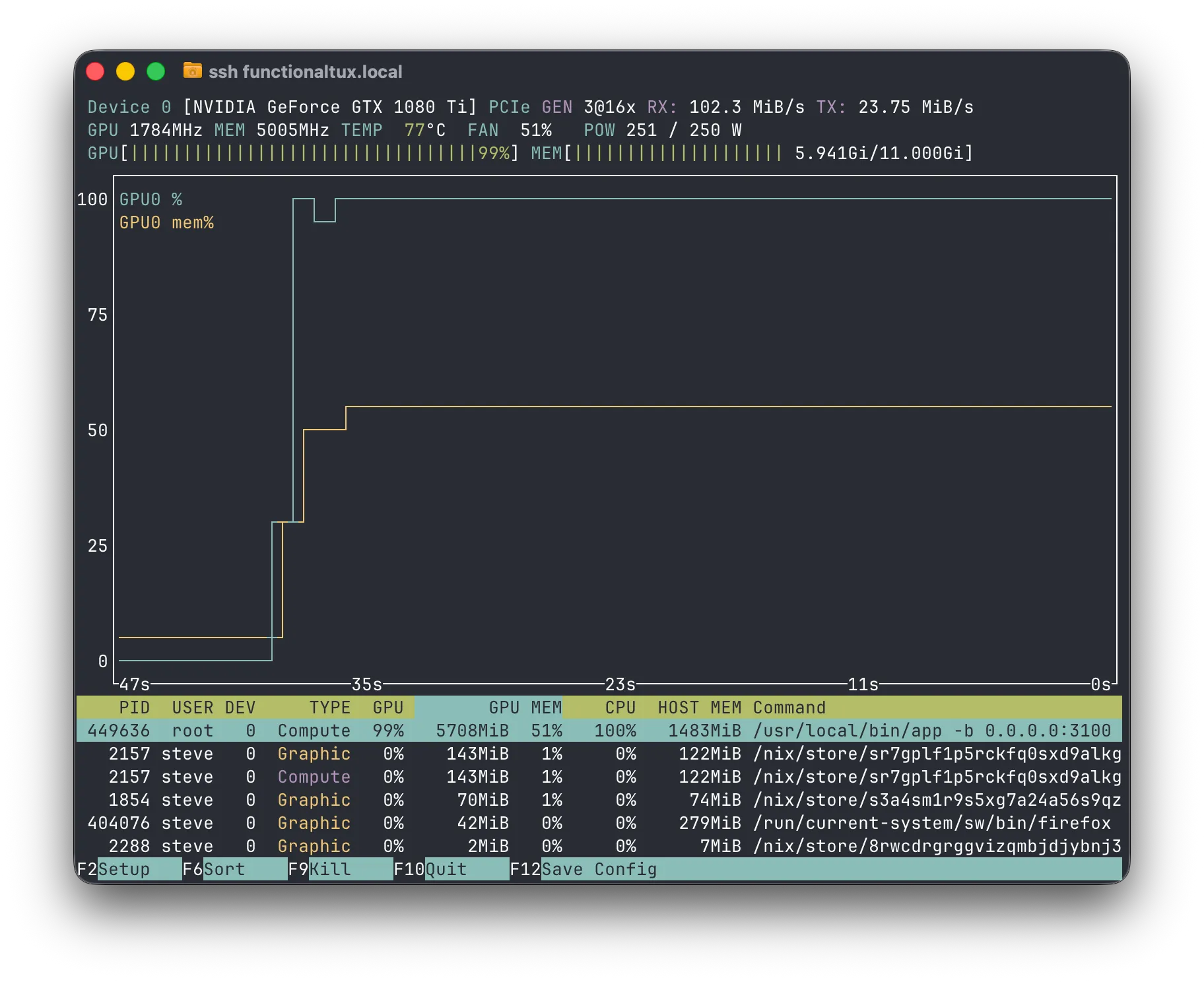
No worries about root execution, the app’s running in a container. I published the image to docker hub, and ran it as so:
docker run --mount type=bind,source=/var/lib/hf-hub,destination=/huggingface \
	--device nvidia.com/gpu=all \
	-p 3101:3100 -it \
	--env HF_TOKEN="hf_crAzyFrIDaYvIvo50" \
	--env HF_ENDPOINT=https://hf-mirror.com
	zhufucdev/ledoxide:latest
You can get a more detailed doc here:
Shortcuts design
The app cannot send results to the bookkeeping app directly, and I have to rely on shortcuts to grap screenshots anyway. I redsigned the workflow centered around client side pulling and pending task persistency, as is shown in the following diagram.
flowchart TD
    GS[Grab screenshot] --> HRL{Has Reminders list?}
    HRL --> |yes| CR{Has pending tasks?}
    HRL --> |no| CRL[Create Reminders list] --> CR
    CR --> |yes| GFPT[Get the first task] --> Parse --> RFR_1[Remove from Reminders] --> CR
    CR --> |no| USCT[Upload screenshot and create task] --> ATRL[Add to Reminders list] --> PTS[Pull task state] --> TF{Task finished?}
    TF --> |yes| ATE[Add to Expenses] --> RFR_2[Remove from Reminders]
    TF --> |no| PTS
flowchart TD
    GS[Grab screenshot] --> HRL{Has Reminders list?}
    HRL --> |yes| CR{Has pending tasks?}
    HRL --> |no| CRL[Create Reminders list] --> CR
    CR --> |yes| GFPT[Get the first task] --> Parse --> RFR_1[Remove from Reminders] --> CR
    CR --> |no| USCT[Upload screenshot and create task] --> ATRL[Add to Reminders list] --> PTS[Pull task state] --> TF{Task finished?}
    TF --> |yes| ATE[Add to Expenses] --> RFR_2[Remove from Reminders]
    TF --> |no| PTS
The shortcut keeps track of unfinished tasks using Apple Reminders, so that both the program and I can understand what’s going on.
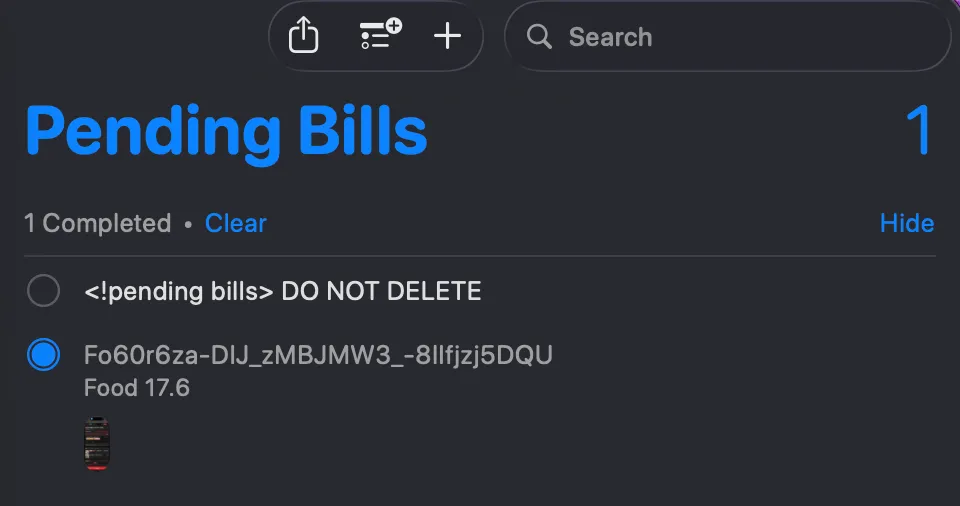
In case the shortcut execution was interrupted so even though the server task has finished, result would never reach me and my books. I often forget to check the list. So before each run, the shortcut scans the list and prompts me of any update, so that it won’t straight up go ignored. In practice, putting the phone into sleep often cause the pulling loop to an end, and this little mechansim can always come in handy.
I broke the workflow into several shortcuts for reusability and ease of implementation. The downside is that it’s really a hassle to share and install them for friends. With that said, if you wanna give it a try, I have you covered.
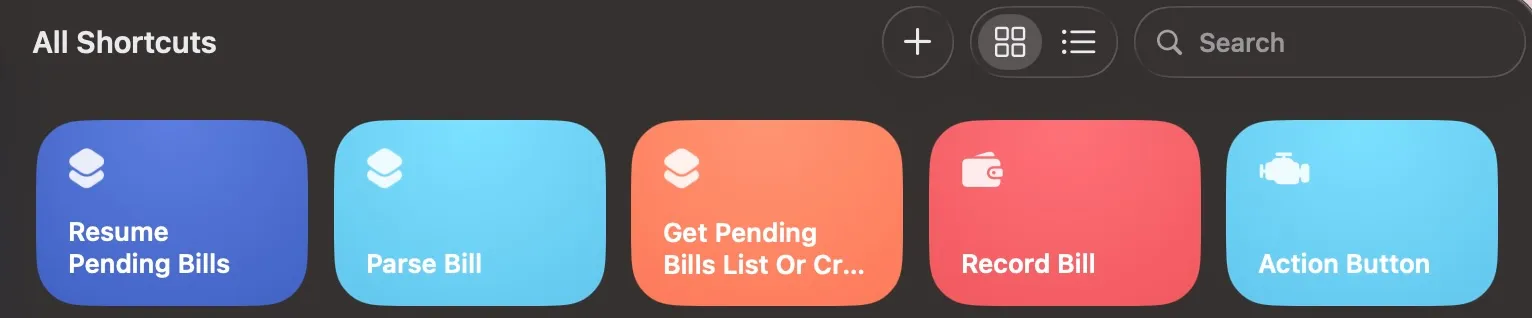
- Resume Pending Bills: https://www.icloud.com/shortcuts/f213c1a044fc46feaf047e775c57e505
- Parse Bill: https://www.icloud.com/shortcuts/554c2982c79749a09b102c92fddd19ee
- Get Pending Bills List Or Create: https://www.icloud.com/shortcuts/0006809635ec4fe39f76a2d86e655168
- Record Bill: https://www.icloud.com/shortcuts/9754ca32a62043da8180cd9d48259a0f
- Action Button: https://www.icloud.com/shortcuts/bddb8a490f2844e393cb1c199f54192a
You shall have own server running, and answer the setup questions respectively. I am also happy to lend me my server, if we are good friends.